
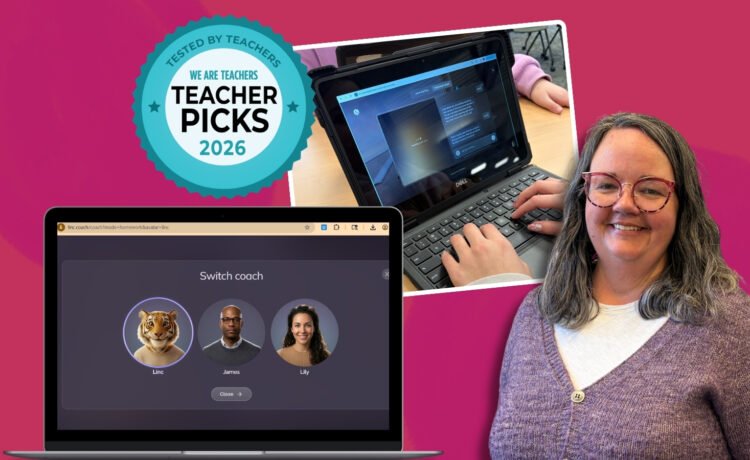
With AI on every teacher’s mind, it can feel overwhelming to figure out how to use it safely and responsibly with students. That’s where the Lincoln AI Learning Coach (Linc) comes in. This easygoing, student‑friendly tool guides kids without doing the thinking for them.
Linc offers both animated and human‑like coaches who keep students engaged, supported, and thinking independently. It makes tasks like argumentative writing, science, and social studies feel more accessible—and far less intimidating. We asked Amanda Davies, a middle school teacher–turned‑librarian with over 25 years of experience, to try it with her students.
Here’s her Teacher Picks review and why she believes the Lincoln AI Learning Coach deserves a spot in your classroom toolkit.
For which grade levels and subject areas do you think the Lincoln AI Learning Coach (Linc) is best suited?
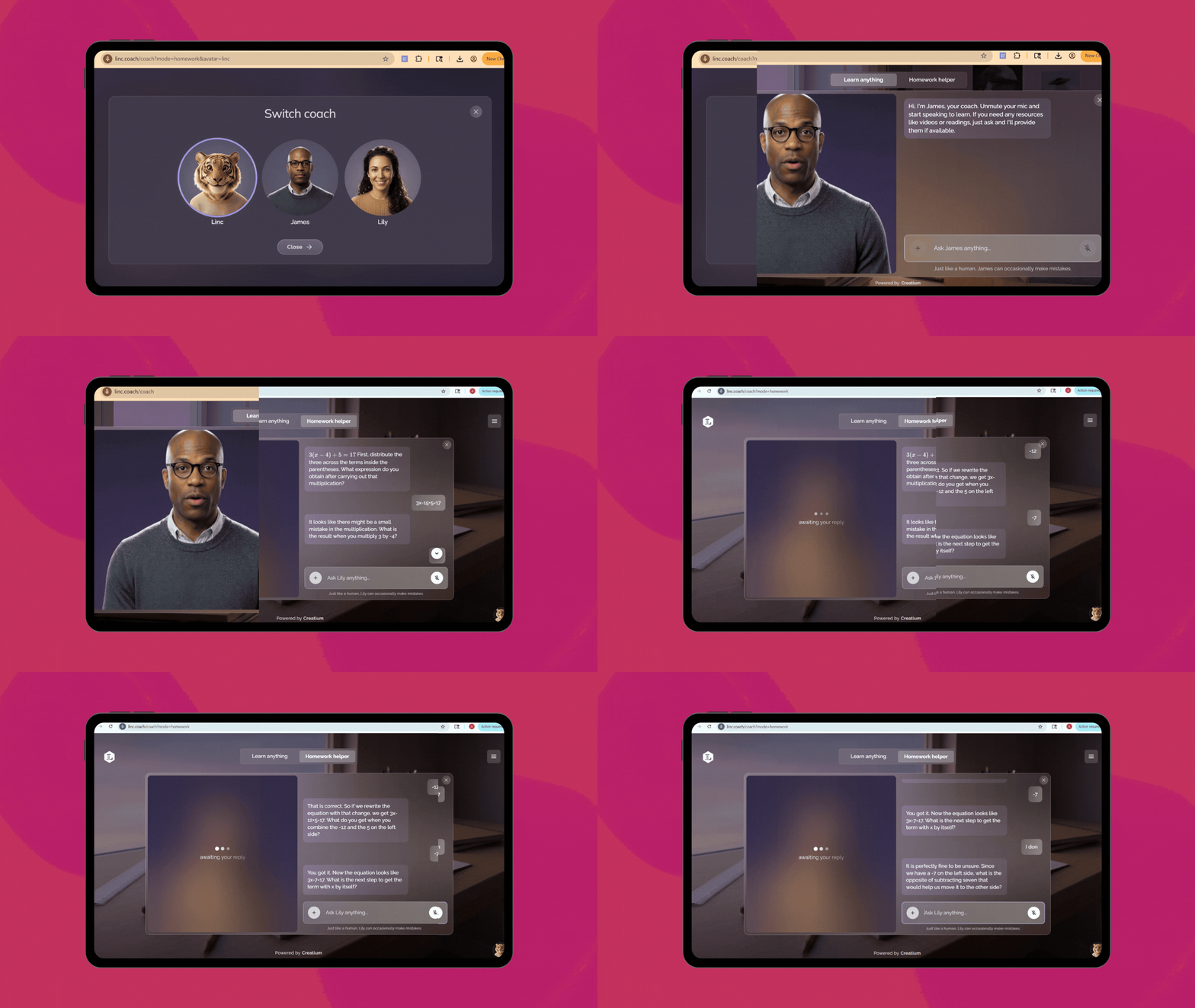
The content and reading level of the assistance that Linc provided was perfect for middle school or high school students. When my students used it for help with writing an argumentative essay, they found that the feedback was helpful and improved their writing. My students loved that they didn’t feel talked down to and that the guidance and support was at their level. The coaches, James and Lily, were particularly well-matched guides for my middle schoolers who needed to review concepts that we had discussed in class, using additional examples and providing constructive suggestions. They were also able to engage with Linc independently to get the level of assistance they needed. As a current middle school teacher and former high school teacher, I also love that the interface is simple, with clean lines and muted colors; it reflects the maturity of these older students.
Did using Linc help you align your lessons with any specific standards or curriculum guidelines that you know of?
Because Linc is responsive to the needs of students, it aligns with curriculum across disciplines and age ranges. For example, when my students and I used it to provide guidance on writing an argument, the activities and feedback reflected the following Common Core State Standards for English Language Arts:
- CCSS.ELA-Literacy.W.6.1: Write arguments to support claims with clear reasons and relevant evidence.
- CCSS.ELA-Literacy.W.6.1.a: Introduce claim(s) and organize the reasons and evidence clearly.
- CCSS.ELA-Literacy.W.6.1.b: Support claim(s) with clear reasons and relevant evidence, using credible sources and demonstrating an understanding of the topic or text.
- CCSS.ELA-Literacy.W.6.1.c: Use words, phrases, and clauses to clarify the relationships among claim(s) and reasons.
- CCSS.ELA-Literacy.W.6.1.d: Establish and maintain a formal style.
- CCSS.ELA-Literacy.W.6.1.e: Provide a concluding statement or section that follows from the argument presented.
How did you use Linc in your classroom?
As a former English Language Arts teacher, I really appreciated the interactive video that walked through the process of developing an argument. The video was particularly helpful because it provided specific examples from a historical text (Kennedy’s State of the Union). I printed out copies of the speech to use as a mentor text and had students follow along with the video to identify the different elements of argument that Kennedy uses. They then also discussed if using a counterargument would have made Kennedy’s argument stronger.
I love that as a tool, I could use Linc for both whole-class instruction, especially using the “Learn Anything” option, and to provide individualized guidance on writing.
Was Linc easy to use and implement?
The interface was easy to navigate with a few quick clicks. I found it easy to use for whole-class instruction, and my middle school students quickly figured out how to use it for independent work.
How did your students react to Linc?
My middle school students really liked that they could add an actual assignment to the “Homework Helper” chat and get help with the specific handout they were working on. They especially liked this for their science and social studies assignments. They could do this independently and get personalized support based on their individual needs. They were drawn to the human-looking coaches, James and Lily. Several students indicated that they could see using the coaches to help them complete assignments at home when they needed a refresher of the content delivered in class.
How would you sum up your overall experience with the Lincoln AI Learning Coach (Linc)?
As a librarian who spends a lot of time defining when it’s OK for students to use AI and helping teachers use it in their classrooms, the thing I liked the most about Linc was that the coaches didn’t just give students the answers but asked them to recheck and revise their work. So many of my colleagues are concerned about students using AI to do the work for them and the resulting deterioration of critical thinking skills. The coaches really did work through tasks as coaches, providing guidance and feedback without answering questions directly or doing the work for them.
I also really appreciated the care that Linc has put into keeping students safe with the interface, both in terms of the system itself as well as in interactions between students and the coaches. Even when I tried to steer the conversation to other topics or non-academic–related content, the coaches quickly redirected the chat.
On a scale of 1 to 5, how easy was it to use Lincoln AI Learning Coach in your classroom and/or lesson (1 = very difficult, 5 = very easy)? And why did you give it that rating?
I would rate it a 4. With some exploration and previewing, many of the activities could be used for whole-class, teacher-led instruction. But the real benefit of this tool is for students to use it independently for reteaching, review, and support.
Which two features did you like most about the Lincoln AI Learning Coach?
The top two features of this kit in my opinion are:
- The built-in safety guardrails and the support provided for students (without giving answers)
- The way Linc encouraged independent thinking from my students
More than any other AI tool I’ve used or previewed for my students, I appreciated that the Linc coaches provided opportunities for students to review and learn content without doing the thinking for them. Students often see AI as an answer-generator, and Linc helps ensure that students still have to draw their own conclusions and make connections themselves. When I had students enter an algebraic equation to solve, for example, it identified a small mistake and then guided them through how to fix it instead of just giving them the correct answer.
How do you plan to use the Lincoln AI Learning Coach again in the future?
As a librarian, a huge part of my job is evaluating and recommending resources to families, students, and teachers. I would recommend it to families who are looking for extra support for their kids, to students who need some personalized feedback and guidance, and to teachers who want to provide additional assistance to their students.
Watch Amanda’s review of the Lincoln AI Learning Coach below:

Teacher Picks is a sponsored program available from We Are Teachers. All opinions shared in the review are honest and based on the teacher’s direct experience. To learn more about our guidelines and review process, click here.






Recent Comments